Showing posts with label fonts. Show all posts

Friday, June 14, 2013

Five for Friday 6/14

It's that time again. FRIDAY!!!! I'm linking up with Doodle Bugs Teaching again this week for Five for Friday. 
As some of you might have seen by my posts, I've recently purchased the iFont app for the iPad & have been a font, creating fool this last week. Here's one for you that I created last night.
And here are two previous posts that contain some font freebies for you. Click here for five font freebies. And this post contains one font freebie. Feel free to use my fonts for personal and commercial use, I just ask that you give credit back to my blog.


I've realized that I need to start keeping up with Polka Dot Palace's Facebook page. I've posted a question there, head on over there & leave me a comment about the question.

If you ready my Five for Friday last week, then you know I had a phone interview with a charter school. Well I got called back to come in & do a demo lesson. Yay!!! And to make it better I have a friend that works there & is sporadically on the interview committee, depending on her prep. So she told me what they were looking for in the lesson; making sure there was guided practice, independent practice, state your expectations, etc. etc. And that the interview she had sat in on before the principal acted as the student while the rest of the committee watched & took notes. Yeah well that didn't happen this time, I got to teach my lesson to an actual 1st grade class, which I would prefer; however, I was totally unprepared to teach a lesson to actual students. When the school called to set up the interview they didn't mention that it would be with real students. My mentor, at my current school, seems to think that it was a test from the principal to see how I would react. My friend said she had no idea that it was going to be like that & the classroom teacher had no idea we were coming either. So now I wait. I'm hoping by next Friday's Five for Friday that I'll have good news for you all, but I really don't know what to think at this point.
I started to pack up my classroom today. I have way too much stuff in this room. I share my room with another teacher; I use it in the morning and she uses it in the afternoon. We started to pull stuff off the walls, pack stuff up, & clean the closet. Yeah 99.9% of the stuff in that room is mine. So now I'm trying to pack it up & haul it out of there. If I get a full-time job over the summer, I don't want to have to come back to pack-up this room.
View from the door

View from my table


Only 2 more days of school. Wahoo!

Hope you're linking up with Doodle Bugs Five for Friday, so we can see what you've been up to this week.


Thursday, June 13, 2013

iFont App - Thursday Raves Linky Party (6/13/13)


My rave today is about the iFont app for the iPad. I purchased this app on Saturday & easily made 5 fonts in one day. Check them out here. This is app is pretty easy to use & provides hours of fun for the low, low price of $6.99 (I don't know about the rest of you, but that's the most expensive app I've ever purchased.)

I've taken some screen shots, so I'm going to try & walk you through this, so you can see how easy it is.
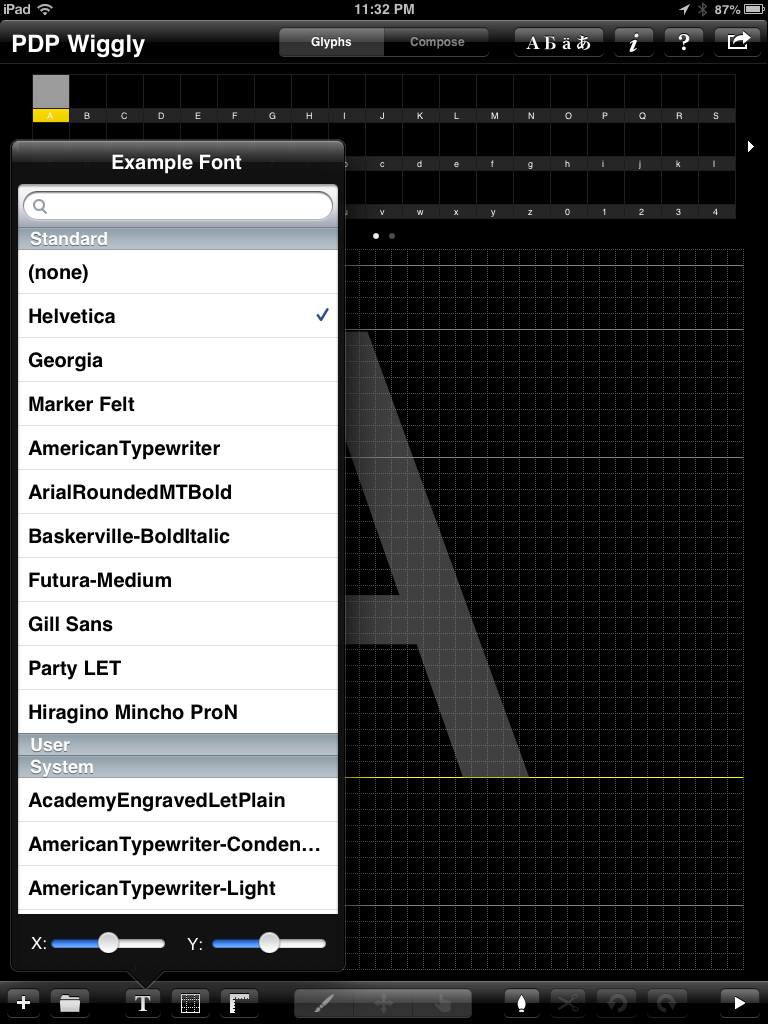
When you open the app you can create a new file by selecting the file folder at the bottom & name your font whatever your little heart desires. Then you can choose an example font, to give you a guideline, if you wish. Here's a shot of some of that list, it's a lot of the typical fonts that you see in Word, etc.


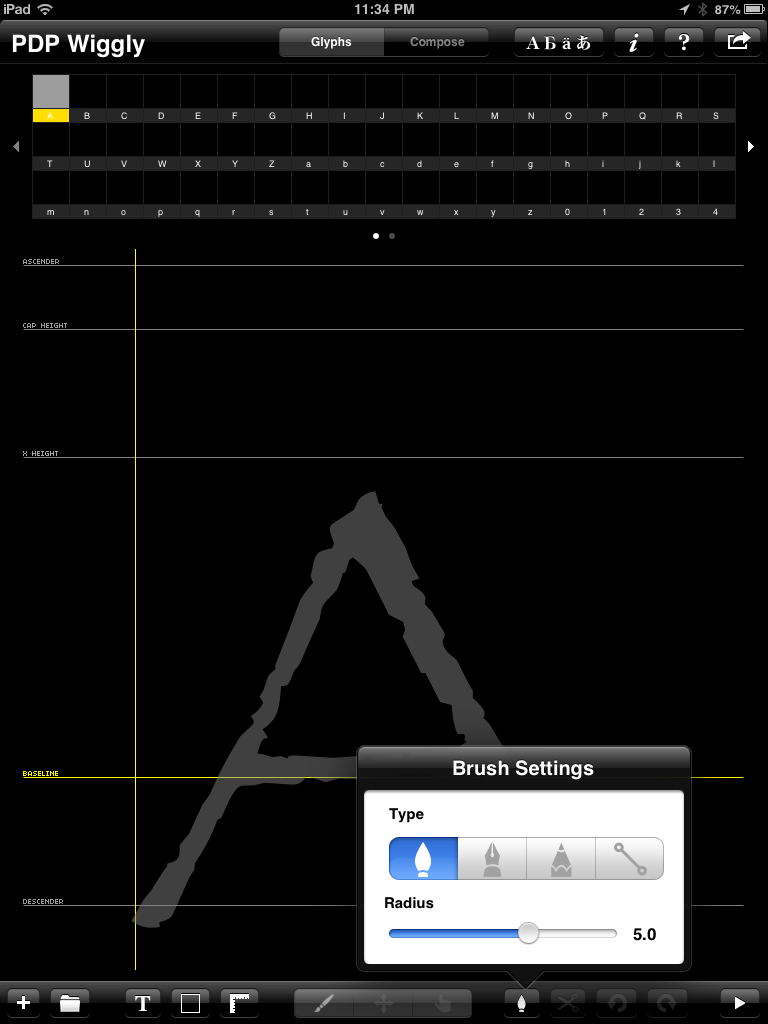
 You can also control the thickness of the brush strokes or if you want to use a chisel tip, etc.


 Here is an example of a capital letter & a lowercase letter I did. There are also numbers and punctuation, if you wish to include them in your collection.


When you're all done creating your font you hit this button in the top right hand corner & select "Build Font via 2TTF.com"


Then you get this lovely processing screen.

Next you'll get this screen, I choose Email, so I can have it sent to my computer & I can save it to my computer, since it's actually my husbands iPad.

Once you e-mail it to yourself your e-mail will have a link to your font & a pin, click the link & it will bring you to a page like this & type in the pin.


Then, ta-da, here's your font.


From here you can choose to see how it looks when you type with it.


You can publish it.


And you can add a font license to the settings.


And I'm sure you all know how to download a font. But just in case here's a few screen shots of that. Now not that I'm using a Mac, so downloading a font is a little different, if I remember correctly, on a PC. 

For a Mac, hit download, your download box will come up. Double click on the font file after it finishes downloading.


A box will pop up with the font & click "Install Font"

There you have it a new font added to your collection, & it could be one that you created yourself.

For those of you using a PC and are not sure how to download a font to your computer here's a tutorial.

And here's another free font that I created for this tutorial. Click the picture of the font to grab it. 


What do want to rave about today? Link up with your rave, I can't wait to read about it!!!

Leave some comment lovin for those who have also linked up. 


Saturday, June 8, 2013

Fonts, Fonts, Fonts!!!

Ok, ok...I know it's not Friday, but I just bought the iFont app for my iPad and made these fonts today. So I'm linking up with Teaching Blog Addict's Freebie Friday so I could share these new fonts I made with more people. I have a font addiction and now that I have the iFont app, this could be what I spend all of my time doing. : )
Click on the fonts below to download that font. Yes, it is okay to use them for personal or commercial use, I just ask that you credit back to my blog, when possible. If you like any of these, please leave me some comment love.  I hope you like them and find a use for them. Enjoy!!!